Basic Setup
You can follow /guide in Discord, or use the short setup flow below.
- Use
/clientpanelin Discord if you need to create a new managed AQW account. - If you already have an AQW account, use
/clientpanelor the dashboard to add it as a user-managed client. - Configure the server, relay guild, guild relay channel, room relay channel, event log channels, and idle map if needed.
- Click Start from
/clientpanelor from the dashboard. - Use
/botsettings profileif you want to customize the bot avatar or banner for your Discord server.
Client Management
Configure each client with the AQW server, relay guild, idle map, and Discord channels it should use.
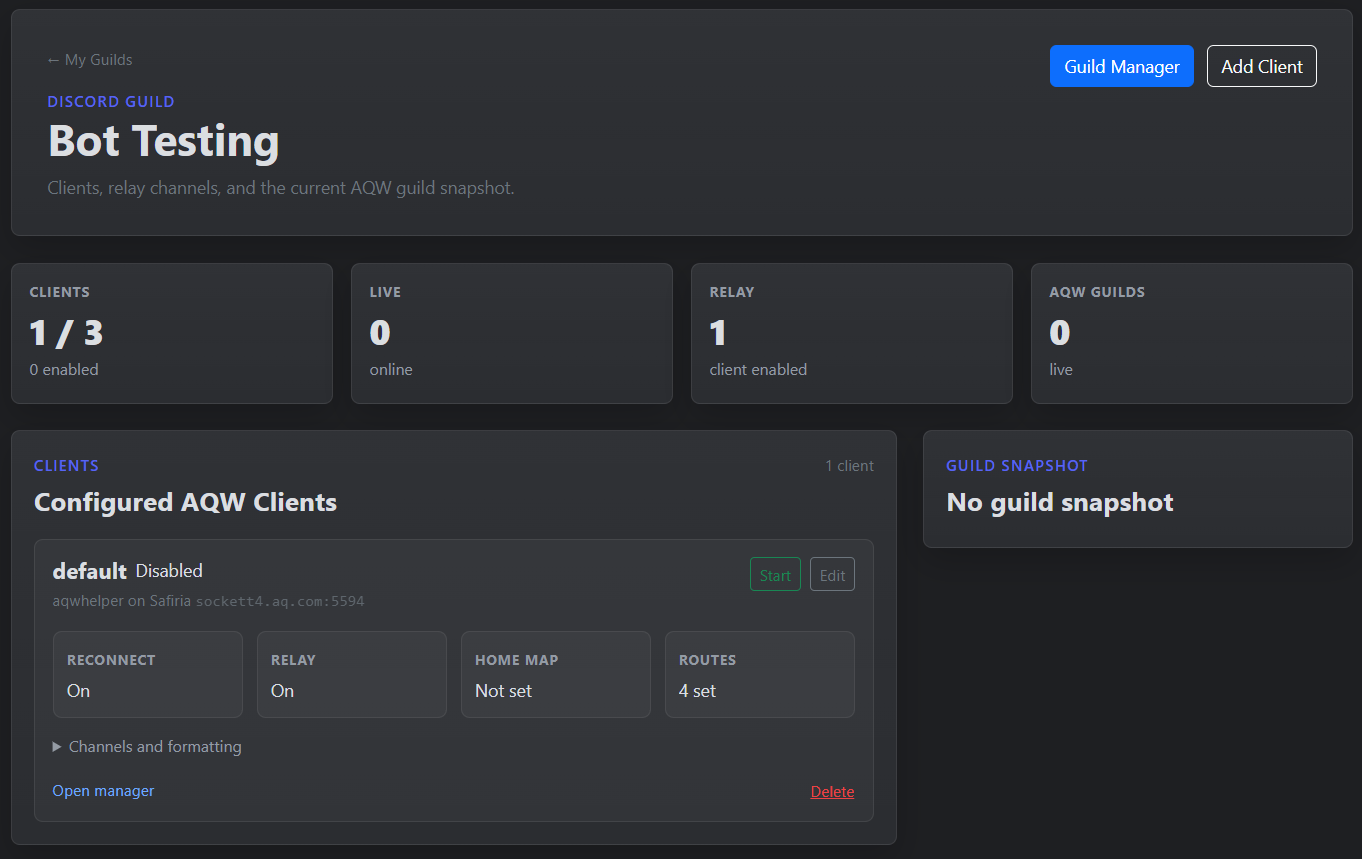
- Use
/clientpanelto create managed-account clients or to add existing AQW accounts. - Use the dashboard to add existing AQW accounts, edit settings, start, stop, or delete clients.
- Add more clients when you want to link multiple AQW servers, guilds, or relay rooms through the same Discord server.
- Start with one working client, then add extra clients once the first relay is behaving the way you want.
Guild Management
When a configured client is online and inside an AQW guild, the dashboard can show guild information and provide management actions for that client.
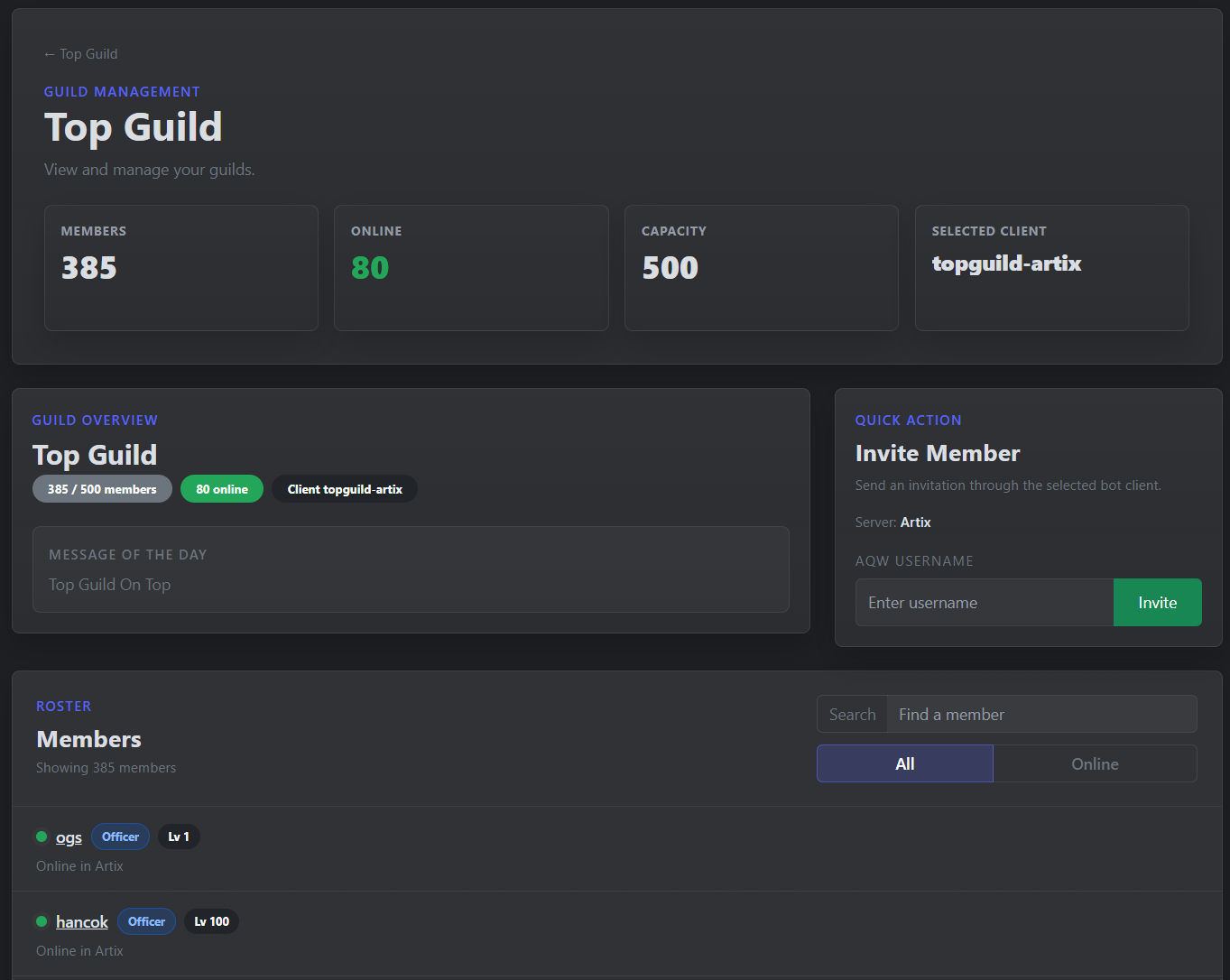
- View guild member and online counts from the dashboard.
- For guild actions like inviting members, the selected bot character needs officer permissions in the AQW guild.
- Switch between enabled clients when a server has more than one guild bot configured.
Chat Relays
Relays connect AQW chat to Discord channels. If you add multiple clients to the same relay channel, AQW Helper can link chat across those clients, even when they are on different AQW servers or in different AQW guilds.
- Guild relay sends AQW guild chat to Discord and mirrors Discord messages back into AQW.
- Add another client with the same relay channel to connect an extra AQW server or AQW guild to that chat.
- Room relay works the same way for room chat, but the client must have an idle map or house configured and successfully joined.
- Use the idle map for the room you want bridged, such as your guild HQ.
- Customize relay color, prefixes, and footer details so messages show the server, guild, or map info.
Command Permissions
AQW Helper commands like /clientpanel, /guild, and /guild-manage are admin-only by default. You can let specific roles or members use them from Discord's integration settings.
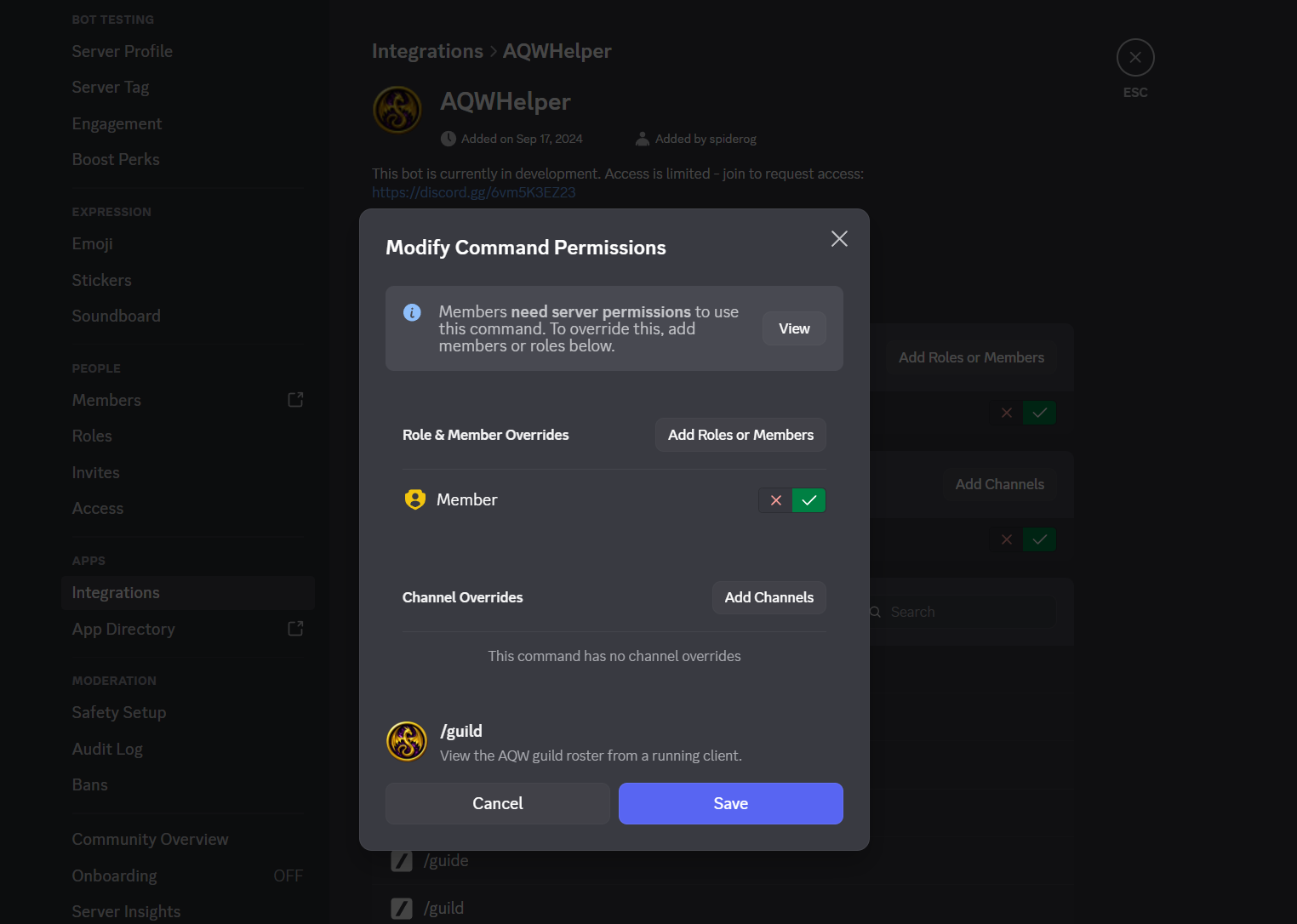
- Open Server Settings, then Integrations under Apps, and choose AQWHelper.
- Choose a command and add the roles or members that should be allowed to use it.
- Keep setup and guild-management commands limited to people you trust with the bot clients.